




UI/UX Design Principles That Increase Website Conversions
In today’s competitive digital landscape, having a visually appealing website is no longer enough. Businesses must ensure their websites provide a seamless and engaging experience that encourages visitors to take action. This is where UI/UX design plays a critical role.
Well-implemented UI (User Interface) and UX (User Experience) design principles can significantly improve website performance, reduce bounce rates, and increase conversions. Whether the goal is generating leads, increasing product sales, or boosting sign-ups, thoughtful design decisions can directly influence user behavior.
In this guide, we’ll explore the most effective UI/UX design principles that help increase website conversions and improve overall user satisfaction.
1. Prioritize Simplicity and Clarity
One of the most important UI/UX design principles is simplicity. Websites that are cluttered with excessive text, images, and elements often overwhelm visitors and make navigation confusing.
A clean design allows users to quickly understand what the website offers and what action they should take next.
Best practices for simplicity:
- Use minimal design elements
- Limit color palettes and fonts
- Avoid unnecessary animations
- Keep navigation clear and structured
A simple interface helps users focus on the key message and improves the likelihood of conversions.
2. Optimize Website Navigation
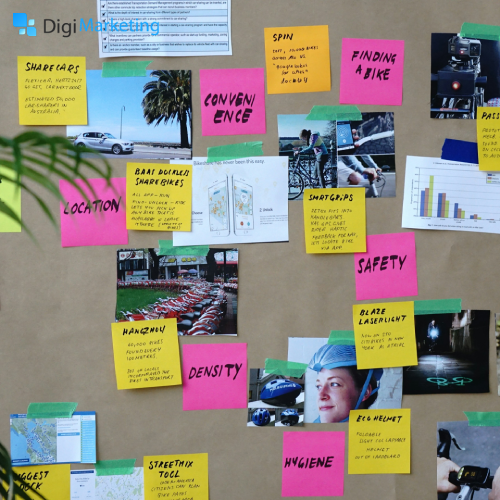
Poor navigation is one of the main reasons users leave a website without completing an action. Effective UI/UX design ensures visitors can easily find what they are looking for.
Key navigation strategies include:
- Clear menu labels
- Logical page hierarchy
- Search functionality
- Breadcrumb navigation
When users can quickly locate information, they are more likely to stay longer and convert.
3. Design Clear and Compelling Call-to-Action (CTA)
A website’s conversion rate largely depends on how effective its Call-to-Action (CTA) elements are.
CTAs guide users toward the desired action, such as purchasing a product, signing up for a newsletter, or requesting a quote.
Tips for high-converting CTAs:
- Use action-oriented language (e.g., “Get Started”, “Try for Free”)
- Place CTAs above the fold
- Use contrasting colors to make them stand out
- Keep CTA buttons large and clickable
A well-designed CTA can dramatically increase conversions.
4. Ensure Mobile-First Design
With the majority of internet traffic coming from mobile devices, mobile-first design is essential for improving user experience and conversions.
Websites that are not optimized for mobile users often suffer from high bounce rates and lost opportunities.
Mobile optimization tips:
- Use responsive layouts
- Optimize images for faster loading
- Ensure buttons are easy to tap
- Simplify navigation for smaller screens
A mobile-friendly design ensures users have a smooth experience regardless of the device they use.
5. Improve Page Load Speed
Website speed plays a crucial role in both user experience and SEO rankings. Slow-loading websites frustrate users and lead to higher abandonment rates.
Research consistently shows that even a one-second delay in page load time can significantly reduce conversions.
Ways to improve website speed:
- Compress images
- Minimize CSS and JavaScript
- Use caching techniques
- Choose reliable hosting services
Fast websites create a smoother browsing experience and keep users engaged.
6. Build Trust Through Visual Design
Trust is a key factor in converting website visitors into customers. UI/UX design can help establish credibility through visual elements and transparency.
Trust-building elements include:
- Customer testimonials
- Trust badges and certifications
- Clear contact information
- Professional design and branding
When users feel confident about a brand, they are far more likely to convert.
7. Use Visual Hierarchy to Guide Users
Visual hierarchy helps guide users’ attention to the most important elements on a webpage.
By strategically arranging content using size, color, and spacing, designers can influence how users interact with the site.
Elements of visual hierarchy include:
- Large headlines for key messages
- Contrasting colors for CTAs
- Strategic white space
- Scannable layouts with bullet points
This structure makes content easier to consume and encourages users to take action.
8. Simplify Forms and Checkout Processes
Complex forms are one of the biggest barriers to website conversions. Users often abandon forms that require too much information or take too long to complete.
Best practices for conversion-friendly forms:
- Ask only essential information
- Use multi-step forms if needed
- Enable autofill features
- Provide clear error messages
A streamlined form experience can significantly increase sign-ups and purchases.
9. Maintain Consistent Branding and Design
Consistency in UI/UX design creates familiarity and improves usability. When visual elements remain consistent across pages, users can navigate the site more comfortably.
Consistency includes:
- Typography
- Button styles
- Color schemes
- Layout patterns
A cohesive design strengthens brand identity and enhances user trust.
10. Use Data and User Feedback for Continuous Improvement
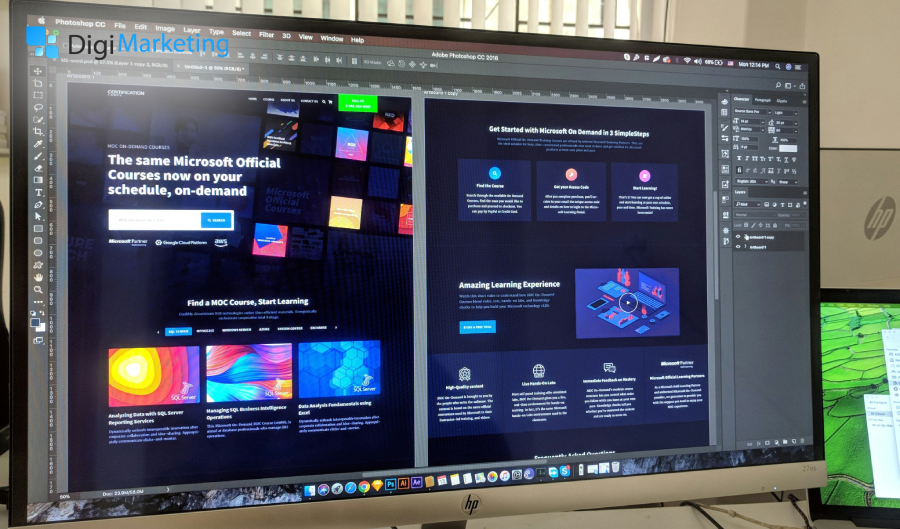
Successful websites constantly evolve. UI/UX design should be guided by data, analytics, and user feedback.
Businesses can improve conversions by analyzing how visitors interact with their website.
Useful tools for optimization include:
- Heatmaps
- A/B testing
- User session recordings
- Customer feedback surveys
These insights help identify usability issues and improve the overall user experience.
Conclusion
Effective UI/UX design is a powerful tool for increasing website conversions. By focusing on simplicity, intuitive navigation, mobile optimization, and user-centered design, businesses can create websites that not only look great but also perform well.
Implementing these UI/UX design principles ensures visitors enjoy a smooth and engaging experience, ultimately encouraging them to take action.
In a digital world where user attention is limited, thoughtful design can make the difference between a website that simply attracts visitors and one that successfully converts them into loyal customers.
 Schedule a Call Today